Find your phone
Use your Power Pack Micro to ring your lost phone. Even if your Power Pack Micro is out of power, it can still ring your phone for up to a month. Your Power Pack Micro must be within range (30 m or 100 ft) of your phone.
Turn on Find your phone
Turn on the Find your phone feature if you'd like to use your Power Pack Micro to find your phone.
- Open the Connect
 app.
app. - Touch the card for your Power Pack Micro device.
- Turn on Find your phone.
- For best results, set the phone ringer volume to loud and check that your phone is not in silent mode.
 app.
app.Find your phone
- Check that the Find your phone feature is enabled in the Connect app.
Quickly press the Power Pack Micro Power button twice.
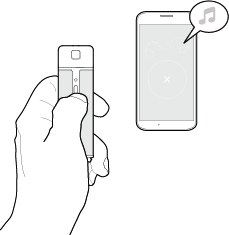
The status light flashes white while searching for your phone.
- When located, your phone rings and its screen turns on.
