Control music, calls, and voice
NoteUsing a mobile device or accessory while driving may cause distraction and may be illegal. Always obey the laws and drive safely.
Music
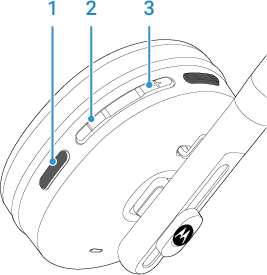
Playing the next or previous track depends on your phone’s music controls.
Calls
Voice commands
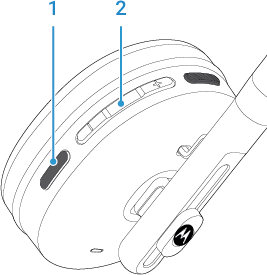
Make a call or send a text message using your voice. This feature uses your phone’s voice control app.
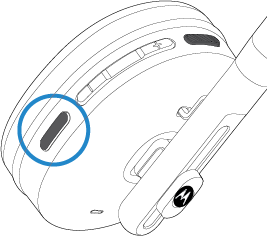
Press and hold the rear button to start or cancel voice control.