Fold/unfold your phone
Use Desk display
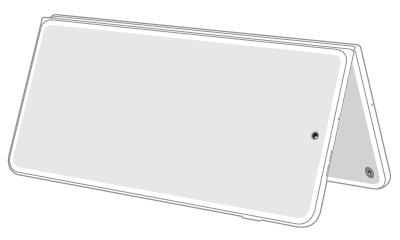
When your phone is locked, you can fold it into a tent, then set it on your desk or bedside-table as a clock or music player.
Change clock style
You can change what’s shown on the screen, whether it’s just a clock or a clock and more information.
Play music
- Start playing in your music app.
- Adjust the volume level.
Lock your phone and fold it.
You’ll see the music player on the external display, and can control songs and playlists.
You can adjust settings to display album art and music controls.
Use Laptop mode
Fold your phone for a laptop-like experience with an app on the top screen, and controls on the bottom screen. Try it for video calls or when you’re browsing the web or typing an email.
Be sure to turn the phone so that the front camera is at the top, left. This ensures a steady base, and keeps your Volume buttons easily accessible.
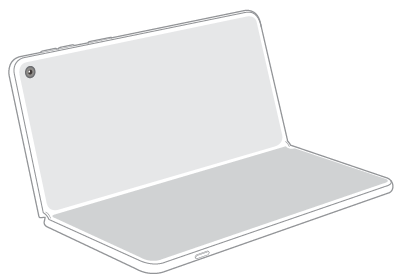
Depending on the app you're using, the lower half of the screen becomes a large split keyboard, making typing easier, or a touchpad for moving through content (web pages or PDF files).
Navigate with the touchpad
Swipe with two fingers to scroll in any direction.
Pinch with two fingers to zoom the upper screen.
Unfold for full screen
To use the main display, unfold your phone.
With all that space, you can use the full screen to edit photos, watch movies, or dive into work, devoting the entire screen to one app.
When you’re working in an app, use the task bar to easily switch to a different app.
Or, split the screen and work with multiple apps at once. You can even drag and drop images or text between apps. And, when you find a great combination of apps, you can save the combo as a shortcut, so you can easily open them at once.