Share photos
Share photo gallery
Browse photos and videos from all your paired devices, or choose a specific device to view. Manage your media or drag and drop to share.
- Pair PC with mobile devices.
- On your PC, open Smart Connect, go to Files

- Select a device to view its photo gallery, or select all devices.
Do any of the following:
- Drag photos to your PC
- Double-click to open photo
- Right-click to open


Rotate phone to share photo with PC
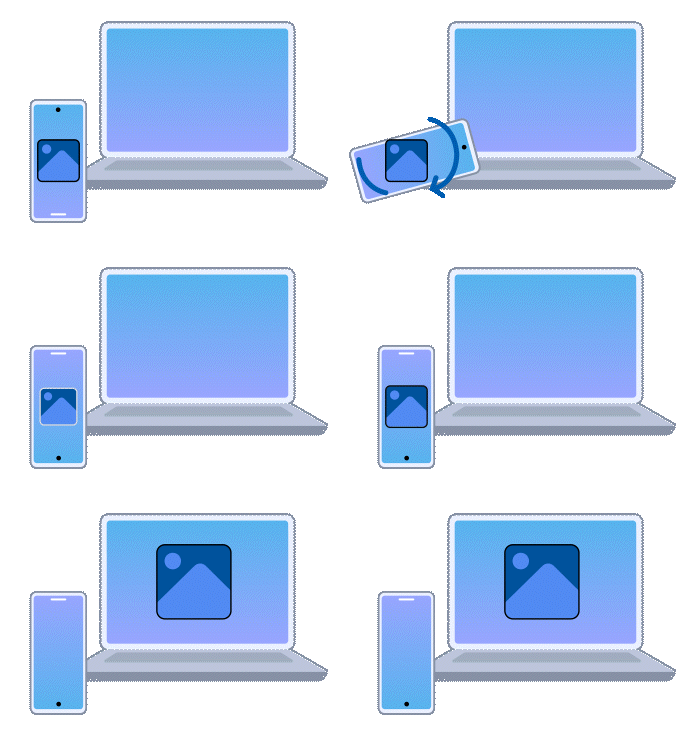
Here's something fun to try: When viewing an image, rotate your phone 180 degrees to send the image to your PC.
- Pair phone with PC, and make sure both devices are unlocked.
On your phone, open Smart Connect and go to Settings > Actions & Gestures, then enable Turn to Share.
To always send photos to the same device, if multiple devices are paired, tap

- On your phone, open an image in Google Photos, Files by Google, Motorola Gallery, or Lenovo ZUI File Manager.
- Rotate your phone 180 degrees and hold it still for a few seconds while the image “pours” onto the PC.
- On your PC, hover over the received image, then tap Show folder to open the folder that contains the image, or tap Windows viewer to open the image in the Windows default app for the file type.
To change the download location, open Smart Connect on your PC and go to Settings > Files > Location of received files, then click Change location.
Tap to share photos
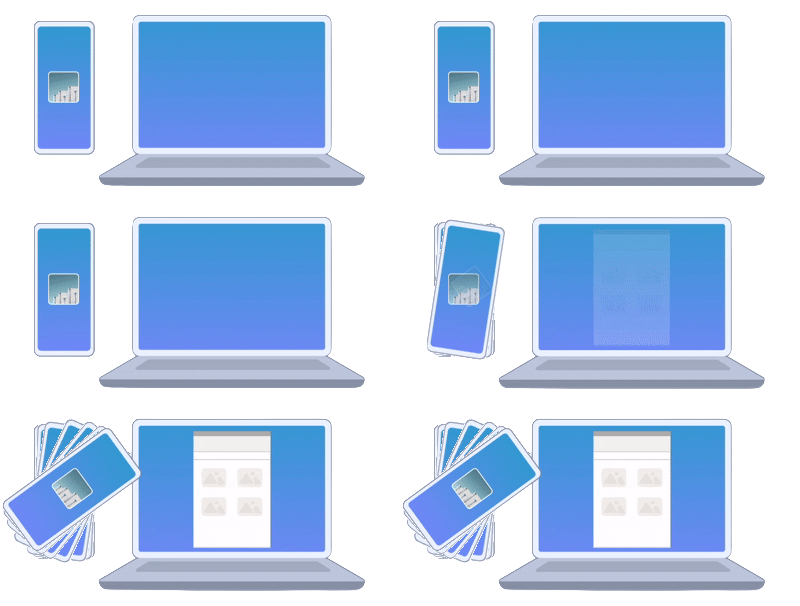
Simply tap your connected phone to your Lenovo Aura Edition PC to browse, drag, and drop photos directly to your PC.
- If not enabled, on your PC, open Smart Connect and go to Settings > General and then enable Smart Tap. Set the Smart Tap action to Open Gallery.
Tap your phone to the side of your Lenovo Aura Edition PC display to launch the photo gallery app.
If the gallery won't open, ensure your PC and phone are paired with Bluetooth on for both.
- Drag photos from the photo gallery to the paired PC.
- Use the icons at top to open
