How-to videos
These videos quickly introduce you to your new phone. If you can’t find a video about the subject you want, touch  to search for non-video topics about that subject.
Use your device
Topics in this video:
- Unlock the phone and turn it on/off
- Use the Back, Home, Recent Apps keys
- Search with Google Now and voice search
- Add widgets
- Use notifications
Call and manage contacts
Set up email
Set up Wi‑Fi
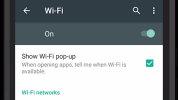
Topics in this video:
- Find and connect with available Wi‑Fi networks
- Icons in the status bar for Wi‑Fi
- Use your phone as a Wi‑Fi hotspot, letting other devices connect to the internet through your phone.
Use Verizon Messages

Topics in this video:
- Compose and send text and multimedia messages to contacts
- Use group conversations
- View conversation list
- Attach a picture
- Personalize conversations with colors and fonts
- Use Integrated Messaging to send and receive messages on computer or tablet
- Set up autoreplies
Use My Verizon Mobile
Topics in this video include using the My Verizon Mobile app to:
- Review your usage summary
- Change your voicemail password
- Purchase accessories
- Pay your bill
Try My Verizon Mobile now to see your usage data, learn more about your device, and manage your account.