Android Auto
About Android Auto
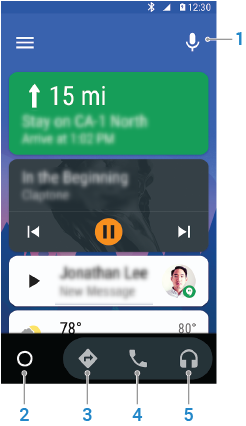
Android Auto allows you to use your phone’s navigation, music, and messaging apps on your car’s in-dash screen or on your phone’s screen. Android Auto provides a simplified interface and voice actions that are designed to minimize distraction so you can stay focused on the road.
If you are using Android Auto on your phone screen, always use a dock for safety.
To find apps for Android Auto, from the Android Auto app go to  > Apps for Android Auto.
Android Auto blocks notifications from apps, except for apps that are compatible with Android Auto.
Get started