About camera hardware
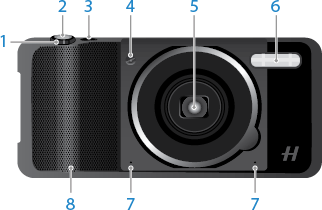
A commemorative “4116” on the lens bezel celebrates Hasselblad’s 75-year history (1941 to 2016).
Hasselblad True Zoom requires no charging. It uses the phone’s battery to charge the flash and operate the camera.
A commemorative “4116” on the lens bezel celebrates Hasselblad’s 75-year history (1941 to 2016).
Hasselblad True Zoom requires no charging. It uses the phone’s battery to charge the flash and operate the camera.