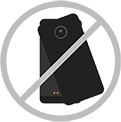
Attach or detach camera
Attach camera
- Make sure the connectors are clean and dry. Also, remove any Mods or cases covering the back of your phone.
Align camera lens on back of your phone with Hasselblad True Zoom, then align the sides and bottom of the phone with the Moto Mod until they snap together.
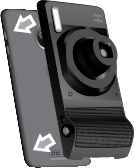
Detach camera
- Before removing the Hasselblad True Zoom, always retract the lens. To retract the lens, press the Power button or exit the camera app while it's attached.
-
Lift the camera’s notch and pull the camera away from the phone.
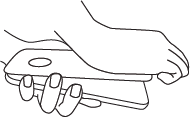
If you detached the Hasselblad True Zoom before retracting the lens, attach the Hasselblad True Zoom and press the Power button to retract the lens. Don’t push on the lens.
Tip
Don't twist to remove the camera as this may scratch the back of your phone.