Bands
Replace band (1st generation)
Replacing the watch band requires specialized tools. If you need to replace your watch band, we recommend taking your watch to a local jeweler or watch repair shop for assistance.
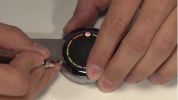
The following video shows how to replace a Moto 360 (1st generation) metal band:
Replace band (2nd generation)
To remove band:
- Place watch face down on a soft cloth.
- Slide latch to release band from watch.
To attach band:
- Insert pin that is opposite latch into watch body.
- Slide latch and insert other pin.
- Tug gently to ensure band is attached.
Resize metal band
If your 1st generation watch was purchased with a metal band, the small gray envelope inside the watch box contains extra links that can be used to expand the band. Bands purchased with 2nd generation watches are large enough to fit most users, but if you need extra links contact Moto Support or call 800-734-5870.
If you need to adjust the size of the metal band, we recommend taking your watch to a local jeweler or watch repair shop.
Purchase bands
To purchase a different band, go to motorola.com.
Using non-Motorola watch bands is not recommended or covered by the warranty.
Care for leather band
If your watch has a leather watch band, please note that the leather watch band has been hand treated with several stain coats to give a rich finish. Some wear and transfer of color may be possible. As with many leathers, use discretion when wearing lighter colored garments.
To clean, simply wipe with a soft, damp cloth. Do not use polishes or creams. Like most leather products, the watch band must be treated with care, and direct exposure to water is not recommended.
global-en-us-en-us-0000-51 2016-02-09T20:59:16