Basic videos
Record a video
- Swipe the modes sideways to Video.
If needed, choose the type of video to record:
- To record a selfie video, tap

- To record a Slow Motion video, a Timelapse video, or other type of video, swipe sideways to More.
- To record a selfie video, tap
- To start recording, press a Volume button or tap

While recording, you can:
- Take a photo. Tap

- Pause recording. Tap

- Take a photo. Tap
- To stop recording, press a Volume button or tap

-
To watch your video, tap the thumbnail preview at bottom. Then:
- To view all thumbnails, tap the screen, then tap

- To view videos or photos later, open the Photos app or other photo app you installed.
- To view all thumbnails, tap the screen, then tap
You can also use voice commands to start capturing video, even when your phone is locked.
Hold your phone like a camcorder
- Hold your phone horizontally.
Fold the phone 90°.
You’ll see your recording on one half of the screen and a touchpad on the other side.
If this doesn't work, turn Use Camcorder Mode on

You can set when recording starts: immediately when you fold the phone, few seconds after you fold the phone, or only when you start manually.
Use the touchpad as needed:
- Swipe up/down to zoom in/out
- Tap to stop/start recording
- To change video alignment, tap to stop recording and then tap ICON to switch between horizontal and video framing
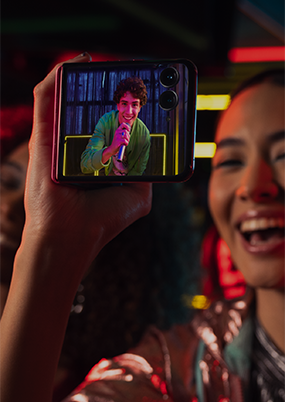
If you want your subjects to see themselves on the external display, turn External Display Preview on
Control video sound
Take video with or without sound
- Swipe the modes sideways to Video.
Tap

- To turn the mic off, tap

- To turn the mic on, tap

- To turn the mic off, tap
Use Audio Zoom
For a more realistic experience, when you zoom during filming, you can focus audio on the specific sound source while reducing background noise.The more you zoom in, the clearer the audio is. Zoom out, and the surrounding sound blends back in.
Audio Zoom is great to use when you’re:
- Recording speeches or presentations - Isolate the speaker's voice in a noisy environment
- Capturing wildlife sounds - Pick up distant bird calls or animal noises
- At concerts or performances - Focus on the performer’s sound while reducing crowd noise
- Vlogging or filming outdoors - Reduce wind and background chatter while keeping your voice clear
To turn Audio Zoom on or off:
- Swipe the modes sideways to Video.
- Tap
- Tap

- Turn Audio Zoom on
