Use one-handed mode
Want to use one thumb to navigate your phone? After you turn on One-handed mode, you can touch  or swipe down near the bottom edge of the screen to either:
- Move the top of the screen into reach of your thumb
- Or, see notifications and quick settings
This mode is only available if you're using Gesture navigation.
Set it up
- Go to Settings > Gestures.
- Touch One-handed mode and turn it on
 .
. Choose what should happen when you swipe down:
- To move the top of the screen into reach of your thumb, select Pull screen into reach.
- To see your notifications and quick settings, touch Show notifications.
- To add , which you can touch instead of swiping down, turn One-handed mode shortcut on .
Pull screen into reach
Swipe down near the bottom edge of the screen. Or touch if you turned on the shortcut.
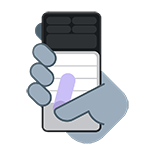
To exit this view:
- Swipe up from the bottom of the screen
- Tap anywhere above the app
- Touch
Show notifications
To see notifications and your first four quick settings, swipe down from the bottom edge of the phone once or touch once.
To see all quick settings, swipe down from the bottom edge of the phone twice or touch twice.