What's new in Android 13?
After upgrading, you'll see the following improvements to the Android operating system and other apps.
More personalization options
Now there are even more ways to make your phone your own. Style your app icons to match your wallpaper and more.
You can find the options all in one place. Touch & hold a blank space on your home screen and touch Personalize.
See more info with the clock widget
The Moto Widget widget on your home screen has updated. The expandable Adapt version lets you add and view more information. Learn more.
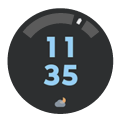
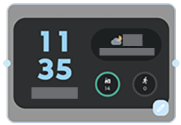
To go back to the old version or use a different version:
- Drag the current widget to the top of the screen and drop it on Remove.
- Touch & hold the home screen, then touch Widgets > Moto Widget.
- Drag the version you want to your home screen.
Changes to Settings
Use apps in different languages
You can now set supported apps to use a different language than your phone's default language.
More control over interruptions and privacy
You can now:
- Adjust notification permissions, choosing which notifications you receive.
- Limit photo and video sharing permissions by app.
Gestures
If you want to turn gestures on/off, go to Settings > Gestures (moved from Settings > System > Gestures).