Insert or remove SIM card
Replace SIM card
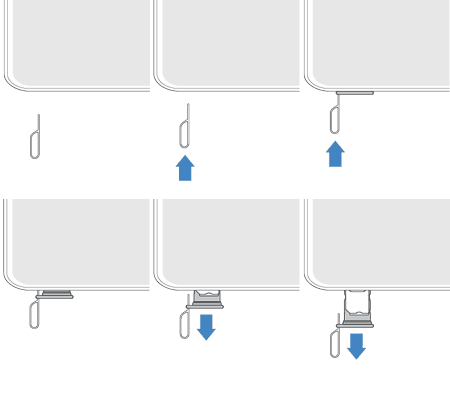
Insert the SIM tool into the tray hole and gently push to pop it out.
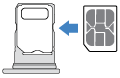
Insert (gold contacts up) or remove the card.
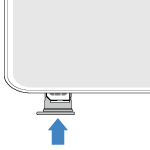
Push the tray back into the phone.
NoteIf you need to activate or resize a SIM, contact your carrier.
Fix an issue
If you’re having problems, try these troubleshooting steps.