Arrange apps and control icon's look
Choose where to find apps: app tray or home screen
The app tray holds all of your installed apps. Swipe up from the bottom of the home screen to open the tray. This simplifies your home screen, showing only apps you choose to add as shortcuts.

To see all apps on your home screen instead, you can remove the app tray.

You can switch at any time.
- Touch & hold a blank space on your home screen.
Tap

- To see all apps on your home screen, tap Open.
- To see all apps in the app tray, tap App tray.
- Tap
If you’re using the app tray
You can
- Turn on/off suggested apps at the top of the list and bottom of the home screen.
- If you don’t want the app’s icon added to your home screen when you install a new app, turn Add app icons to Home screen off

To hide or show the Newsfeed tab and Journal tab in your app tray, go to Settings > Moto AI > Smart Tabs
If you're using Open to put all apps on the home screen
You can
To be able to position icons anywhere on the home screen, tap Free arrangements.
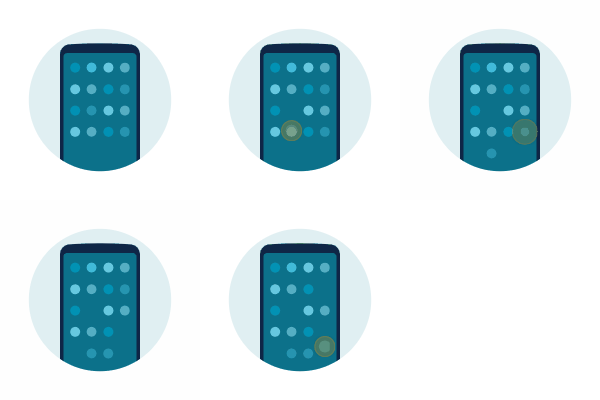
To have icons move automatically to fill empty spaces, tap Auto fill.

Adjust icon size and names
You can make the app icons on your home screen and in the app tray larger or smaller. You can also remove or expand the names below the icon.
- Touch & hold a blank space on your home screen.
- Tap
Adjust settings:
- To make the icons smaller or larger, tap Icon size and move the slider to choose a size.
- To remove the names below the icons, tap App label > Don't show.
- To restore the names below the icons, tap App label > 2 rows (full names) or 1 row (short names).
Show or hide notification dots
You can control whether app icons show dots to alert you about unread notifications.

- Touch & hold a blank space on your home screen.
- Tap
- Tap Notification dot on app icon.
- Turn Notification dot on app icon on
