Set up sidebar for easy multitasking
Use the sidebar to open freeform apps in a small window that you can move and resize.
Turn on the sidebar
Go to Settings > Gestures.
Tap Sidebar and turn Use sidebar on

You'll see a sidebar on the right edge of your screen. Swipe it in to see a menu of apps that you can open.
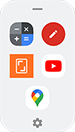
Customize the sidebar
Change apps in sidebar
On the sidebar, tap

Or, go to Settings > Gestures > Sidebar >

Customize the menu:
- To rearrange apps, touch & hold an app, then drag it.
- To remove an app, tap

- To add an app, tap it or mark its checkbox.
- Tap