Remove and replace back cover
If you need to insert a SIM or SD card, then you'll need to remove the back cover (shell) of your phone. Your phone is water resistant; be sure to replace the back properly so that it remains water resistant.
Remove back cover
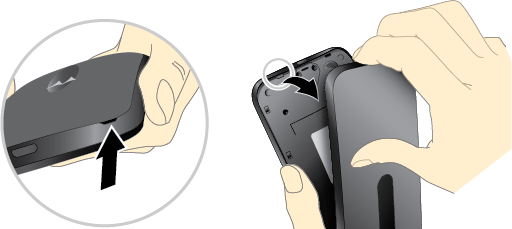
Put your fingernail in the bottom corner hole in the cover and pry it off. Don’t be afraid to use a little muscle.
Replace back cover
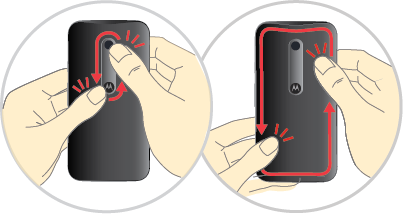
Press all the way around the camera area and the cover's edges for a water-resistant seal.