Remove and replace band
If you need to insert a SIM or SD card, then you'll need to remove the band around your phone.
To remove the band:
Put your finger in the bottom corner of the band around the phone's edge.
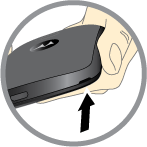
Pry the band off to expose the card slots.
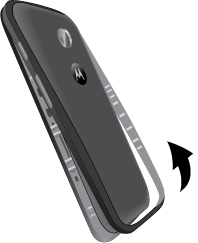
To replace the band:
- Align the top first, then match up the Power and Volume buttons.
- Snap on the bottom, then press around the whole edge until the band is in place.