Adjust photography settings
Before you take a photo, you can adjust settings to get the best photo for your situation.
Use a timer
- If you're taking a selfie, touch
 .
. - Touch
 and choose 3s or 10s.
 - Frame your shot, and when you're ready, touch
 to start the countdown.
 - Take your place in the shot (if you're taking a selfie, simply wait) and smile!
Use a flash
To set the flash mode (off, always on, or auto), touch  on the viewfinder.
Use a grid for framing
Enable a grid in your viewfinder to better frame your shots and check your camera tilt.
- Swipe the viewfinder right to see settings.
- Turn Assistive grid on
 .
.
To get rid of grid lines, turn Assistive grid off  .
.
Use smiles or hand gestures to take photos
In the Camera app, instead of touching to take a photo, you can use smile detection or hand gestures (front selfie camera).
To enable the camera to start a countdown when it detects a smiling face:
- Swipe the viewfinder right.
- Make sure that Smile Shot is on .
To enable the camera to start a countdown when it detects you waving or holding up 2 fingers  :
:
- Make sure you’re using the front camera. (Touch if needed.)
- Swipe the viewfinder right.
- Make sure that Gesture Shot is on .
Use HDR in high-contrast lighting
Taking a photo of a bright scene that also includes dark shadows? Use HDR (High Dynamic Range) mode. The camera captures multiple exposure levels and combines them into a single photo for vibrant colors and more detail in both light and dark areas.
To set HDR mode (off, always on, or auto mode), touch  on the viewfinder.
HDR is best for:
- Landscapes with bright sky and shaded hills or foliage
- Outdoor portraits with lots of contrast
- Backlit scenes with dark shadows and streams of sunlight
- When both the camera and subject are stationary
Do not use HDR for:
- Action shots
- Low-light indoor photos
- When you want to use the flash or the front camera
When the camera detects a high contrast scene, it automatically goes into HDR mode, and HDR appears in the viewfinder. Consider whether HDR mode would improve the photo or not.
Use beauty filter
Your camera includes a beauty filter you can apply when taking selfies and pictures of others (up to five faces). Use it to:
- Soften and even skin tone
- Remove blemishes and shine
- Whiten teeth
- Highlight T-zone
- Slenderize face
- Enlarge and brighten eyes
To use the filter:
Do one of the following:
- Touch
 to use automatic mode.
 Touch
 to use manual mode, then adjust the intensity of the filter: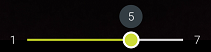
- Touch
- Smile and touch to take the picture.
To turn the filter off, touch or and change to  .
.
Adjust photo size
Lower resolution photos and videos take up less space, but have lower image quality.
- Swipe the viewfinder right to see settings.
- Touch Photo size for the front or rear camera.
Select size to use for new photos:
- To display pictures that fill your HDTV or widescreen monitor without cropping, use 16:9 widescreen mode.
- To print 5"x7" or 8"x10" photos, use 4:3 standard mode.
- In general, use smaller file sizes (MP) for photos you'll share; use larger sizes for photos you'll print or edit.
Fix an issue
If you’re having issues, try these troubleshooting steps.